前言
在Linux容器内运行远程桌面,既灵活、快速,又能避免虚拟机带来的内存和性能开销,而且能够保证主机的环境干净,也能够和Windows组成混合环境,兼顾二者的优势。 过去我尝试过VNC、XRDP之类的方案,这些放在一些简单的应用上表现得还不错,但是如果显示内容稍复杂一些,例如有视频甚至游戏,即使是比较简单的EDA工具,就有些力不从心了,因为这些方案都是通过软件渲染桌面,对画面也是使用简单的图像编码(甚至不编码)传输。 有没有能够通过利用GPU硬件渲染界面,然后使用GPU硬件编码成视频流,像Sunshine+Moonlight那样流畅高效、运行在容器内的远程桌面呢?
后来我发现了KasmVNC和Selkies,这些都是能够满足以上条件的选择。Selkies今天已经有2.1K的Star了!但是今天我还想分享另一个工具,它通过Moonlight访问,实现游戏串流,支持NVIDIA、INTEL、AMD,支持Wayland,Game on Whales
Game on Whales
这是一个能够“Stream multiple virtual desktops and games running in Docker”的工具。
Wolf通过自己设计的一个Wayland compositor:gst-wayland-display ,从而获得应用图形的framebuffer,并将其直接送入视频编码器(Gstreamer),过程非常高效。
(参考项目的介绍:How does it work? )
通过Docker Compose运行wolf(以Intel/AMD平台为例):
version: "3"
services:
  wolf:
    image: ghcr.io/games-on-whales/wolf:stable
    volumes:
      - /etc/wolf/:/etc/wolf
      - /var/run/docker.sock:/var/run/docker.sock:rw
      - /dev/:/dev/:rw
      - /run/udev:/run/udev:rw
    device_cgroup_rules:
      - 'c 13:* rmw'
    devices:
      - /dev/dri
      - /dev/uinput
      - /dev/uhid
    network_mode: host
    restart: unless-stopped
Intel/AMD平台通过VAAPI的接口完成视频编码。如果你有NVIDIA GPU还可以调用NVENC进行编码,需要先配置NVIDIA的容器环境,具体步骤在Wolf的Quick Start 也有相应的指导。
我建议通过docker compose up启动,因为稍后我们需要容器输出的日志来完成和Moonlight的配对。
Wolf容器启动后,你应该可以在同一局域网中的Moonlight中发现刚启动的Wolf:
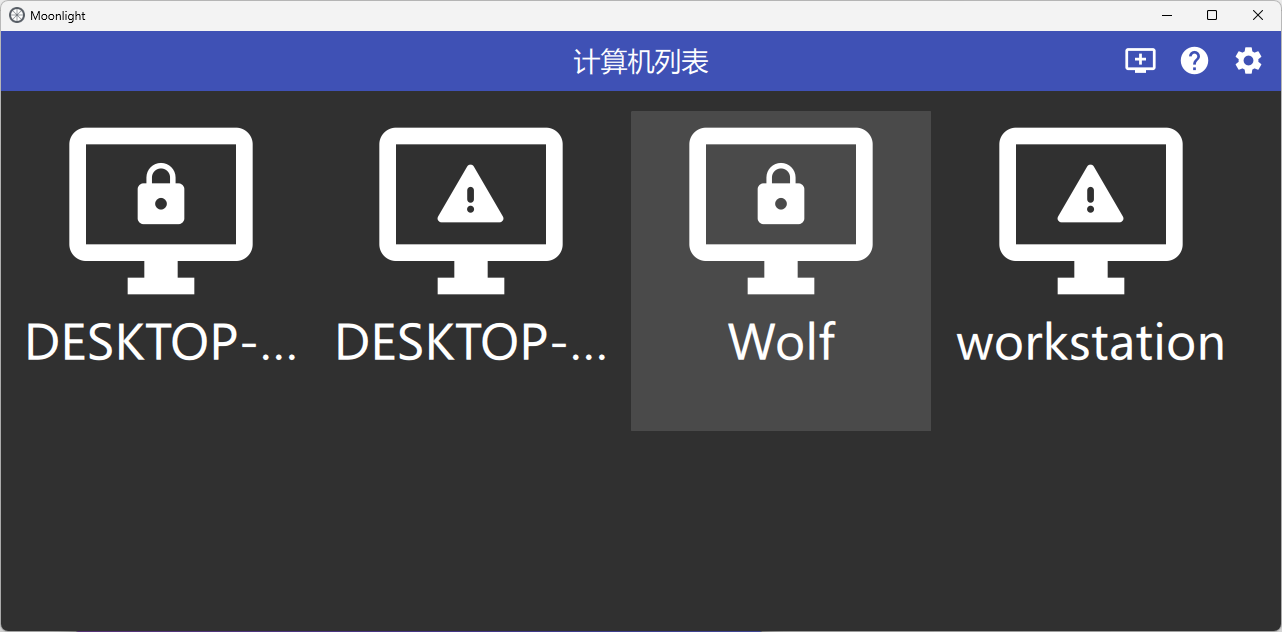
点击Wolf配对
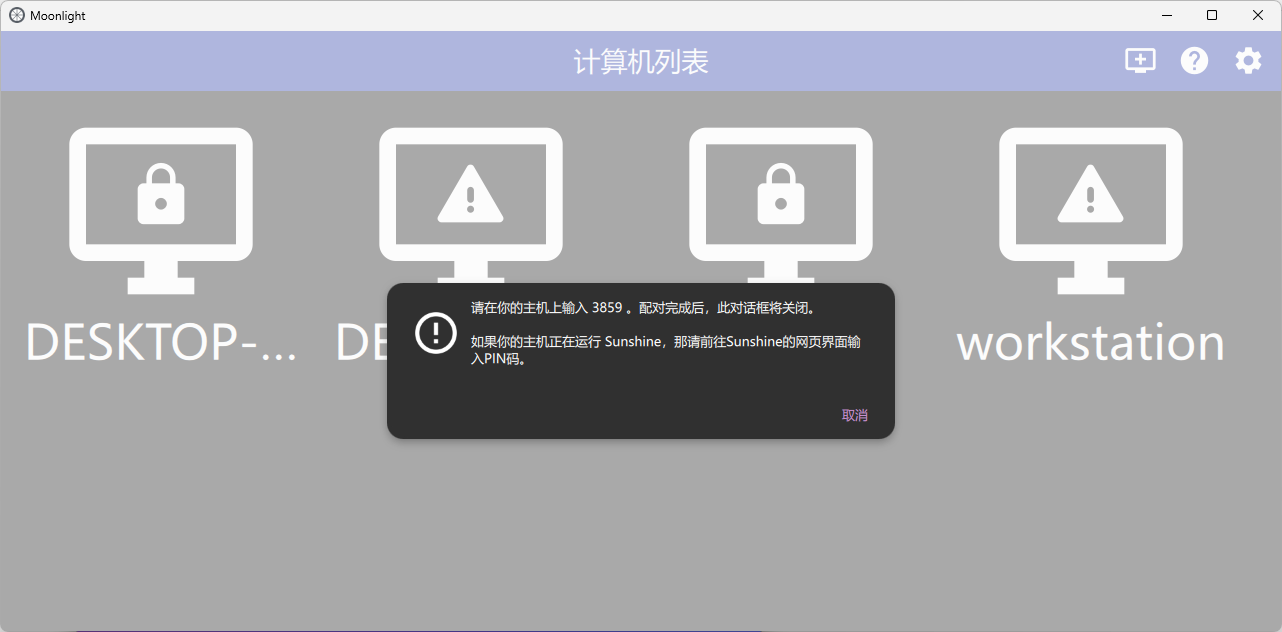
容器日志中会输出配对的URL
wolf-1  | 13:39:58.214696530 INFO  | Detected mounted /etc/wolf in the host as /home/admin/compose/wolf/etc-wolf
wolf-1  | 13:39:58.214736926 INFO  | Detected mounted /run/user/wolf in the host as /var/lib/docker/volumes/c6fb5b55d2f8e95cdd868bc4d1ec9d4c1d28f112eb014298e06bbbf711ee56c6/_data
wolf-1  | 13:39:58.215159488 INFO  | [RTP] Starting RTP ping server on ports 48100 and 48200
wolf-1  | 13:39:58.215297656 INFO  | RTSP server started on port: 48010
wolf-1  | 13:39:58.215484638 INFO  | Control server started on port: 47999
wolf-1  | 13:39:58.215611375 INFO  | Starting mDNS service
wolf-1  | 13:39:58.215632161 INFO  | HTTP server listening on port: 47989
wolf-1  | 13:39:58.215668332 INFO  | Starting Wolf API server on /run/user/wolf/wolf.sock
wolf-1  | 13:39:58.217763406 INFO  | [PULSE_ROUTER] Setup complete (handlers registered, PA subscribed)
wolf-1  | 13:39:58.218999814 INFO  | HTTPS server listening on port: 47984
wolf-1  | 13:39:59.679674556 INFO  | Insert pin at http://192.168.2.40:47989/pin/#547A508620029672
访问这个URL,输入Moonlight中显示的PIN,即可完成配对。
点击Wolf UI即可串流仅启动页面:
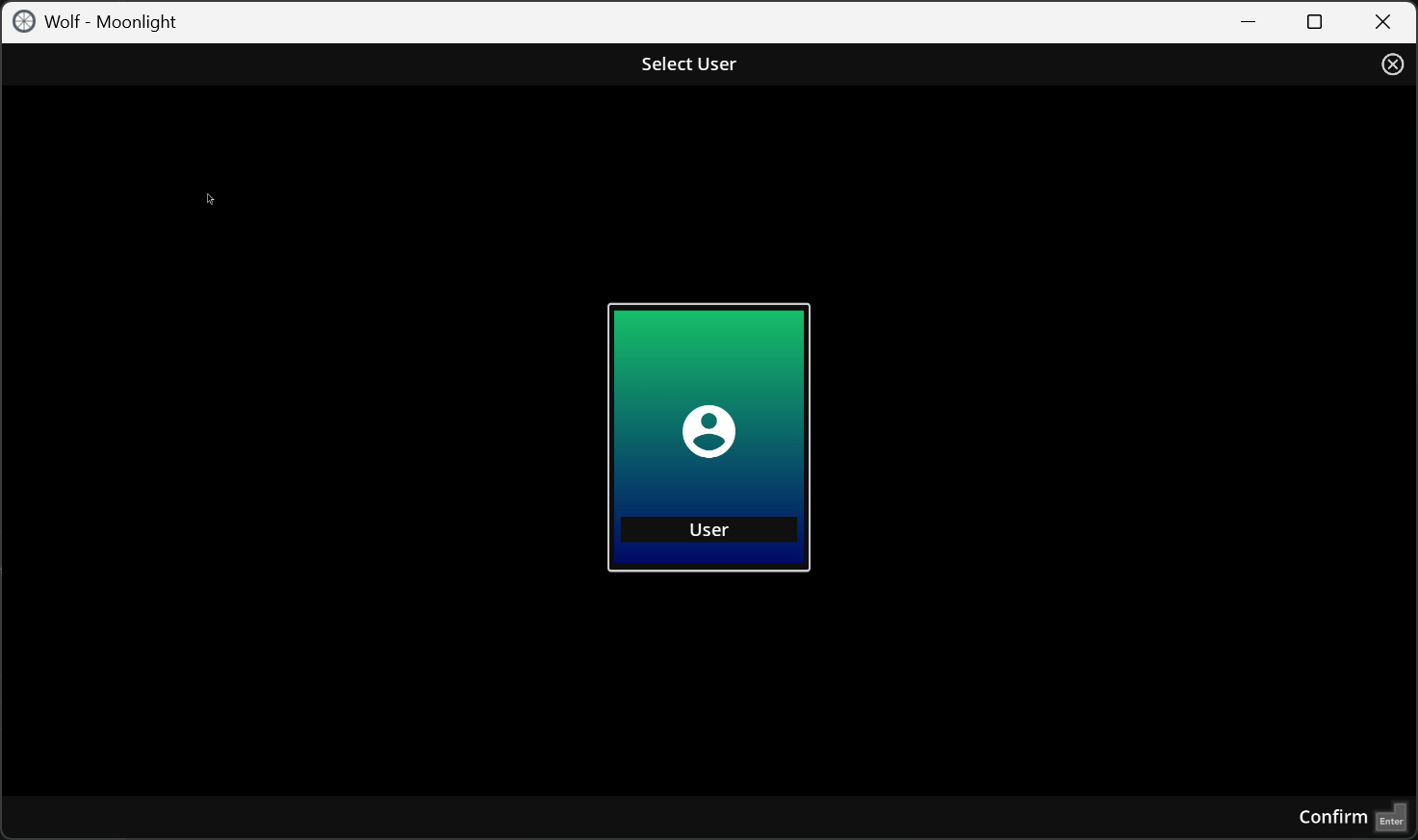
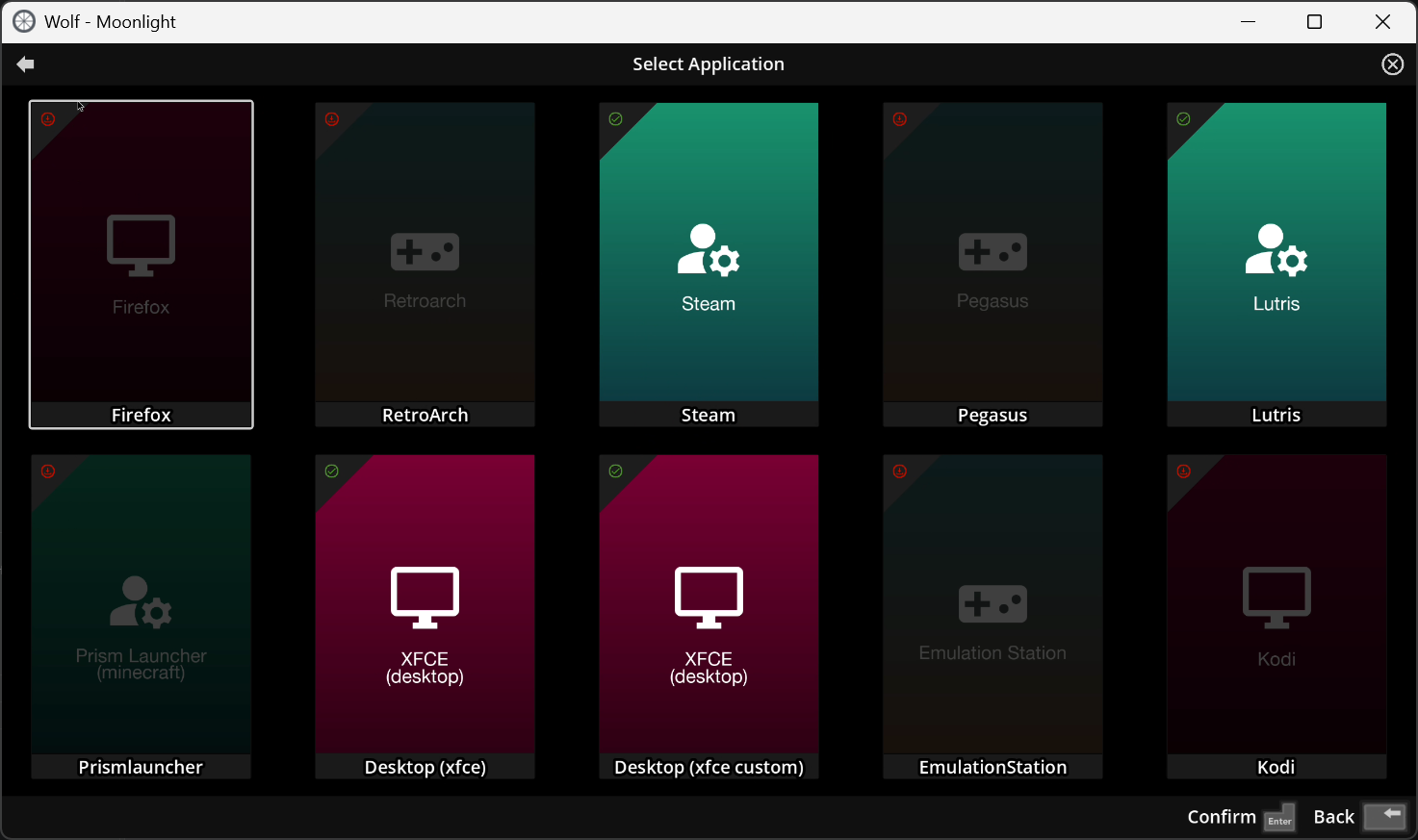
默认提供包括Stream、Lutris和XFCE在内的多种App,鼠标点击即可还是运行并开始串流它们的画面。你也可以自己添加App,这里我已经添加了一个我自己构建的App:xfce custom。我在Wolf提供的xfce的基础上又安装了一些软件,比如Vivado和微信:
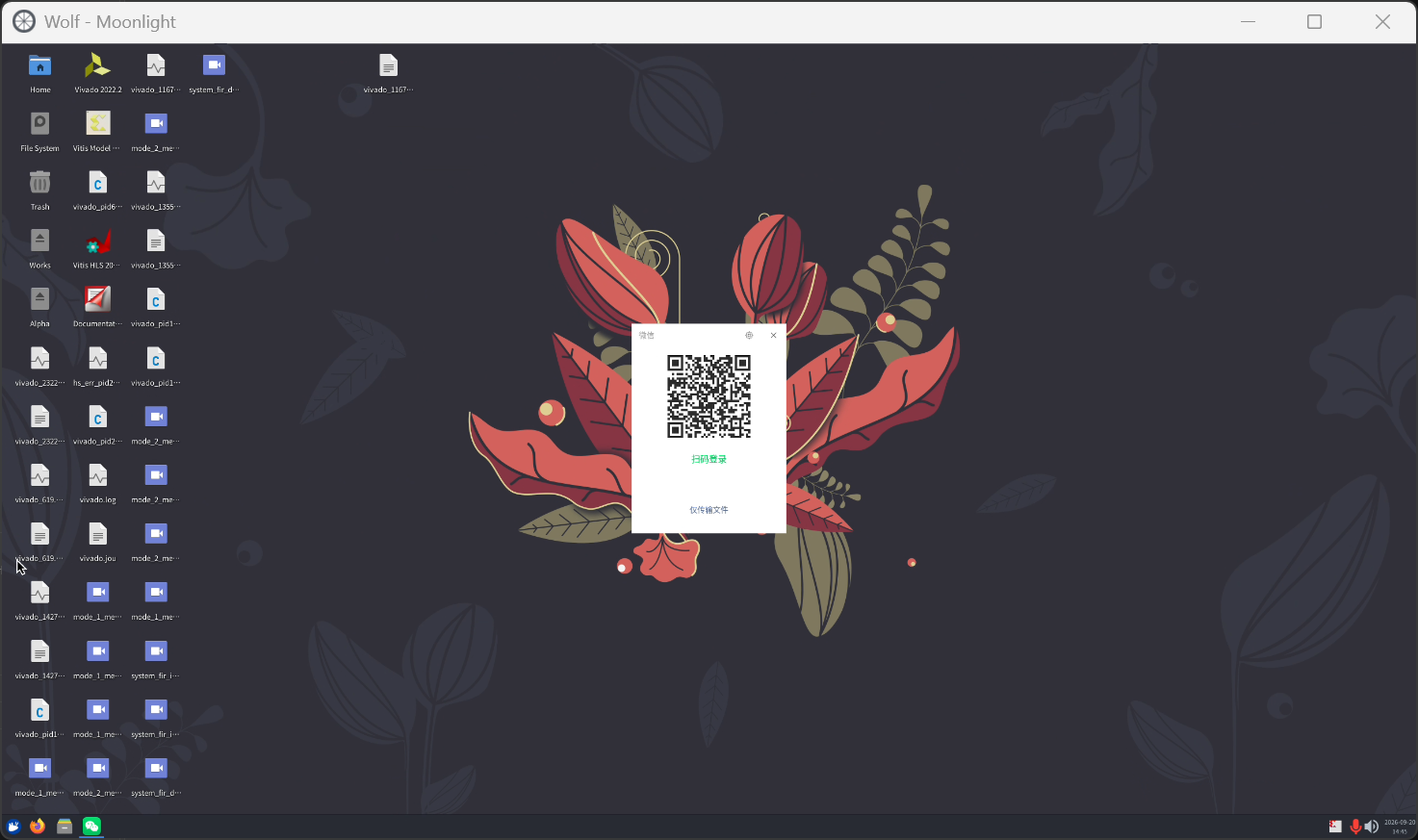
串流体验非常不错,特别是在局域网环境中延时很低,仿佛就在本地运行。实际性能还取决于你运行Wolf的服务器的配置(前提按照相应的GPU正确配置)。
Wolf启动后,会在挂载到宿主机的/etc/wolf(取决于你挂载的位置)下创建配置文件(cfg/),当用户通过Moonlight启动某个App时,这个目录下还会持久化存放每个用户在App内的数据(家目录)。
admin@debian:~/compose/wolf/etc-wolf$ ls -l
total 1431
drwxr-xr-x 4 root root       4 Aug 30 00:07 14680871214505331106
drwxr-xr-x 3 root root       3 May  4 15:42 2456710369227803293
drwxr-xr-x 3 root root       3 Sep  3 23:38 9312587713027306140
drwxr-xr-x 2 root root      13 Sep 20 11:31 cfg
-rwxr-xr-x 1 root root 2664992 Sep 20 11:31 fake-udev
drwxr-xr-x 3 root root       3 May  4 15:42 profile-data
在cfg/config.toml文件中定义了各种App,你可复制或修改其中的设置,比如App启动时的挂载目录和端口映射。
游戏、桌面等App并不直接通过Wolf这个容器运行,这个容器负责Moonlight的认证、串流,并根据config.toml中的配置拉起App(通过创建App容器)。
UDP端口映射
你可能会发现在config.toml这样写UDP的端口映射21188:21188/udp,App运行起来后还是映射的tcp端口。
按照Wolf的源代码,正确映射UDP端口的方式应该是21188:21188:udp,我曾经这么写过也能够正常映射UDP端口,然而我今天又如此试了试发现映射出的来还是TCP,不知哪里又出了问题。
构建APP
Wolf中所运行的App都放在了gow(game-on-whale)仓库中:https://github.com/games-on-whales/gow
GOW的APP构建顺序是BASE(基础发行版,比如Ubuntu和Fedora,安装基本工具)到base-app(安装图形运行和串流环境)到APP(安装应用程序)
以xfce为参考
sudo podman build -t gow/base:25.04 images/base/build/
sudo podman build -t gow/base-app:25.04 --build-arg BASE_APP_IMAGE=gow/base:25.04 images/base-app/build
sudo podman build -t gow/xfce:custom  --build-arg BASE_APP_IMAGE=gow/base-app:25.04 apps/xfce-custom/build/
Xfce for Vivado
我是用这个工具主要也不是为了游戏,而是想要有一个在Linux环境里的Vivado。于是我在XFCE的dockerfile中做了一些修改(还安装了微信):
# syntax=docker/dockerfile:1.4
ARG BASE_APP_IMAGE

# hadolint ignore=DL3006
FROM ${BASE_APP_IMAGE}

ARG CORE_PACKAGES=" \
    lsb-release \
    wget \
    gnupg2 \
    dbus-x11 \
    flatpak \
    sudo \
    "

ARG DE_PACKAGES=" \
    xfce4 \
    xfce4-settings \
    xubuntu-default-settings \
    xubuntu-icon-theme \
    papirus-icon-theme arc-theme \
    at-spi2-core \
    "

ARG ADDITIONAL_PACKAGES=" \
    xfce4-terminal \
    xfce4-taskmanager \
    xfce4-whiskermenu-plugin \
    xfce4-docklike-plugin \
    xarchiver \
    mousepad \
    zip unzip p7zip-full \
    gnome-software gnome-software-plugin-flatpak \
    virt-manager \
    make \
    libxcb-image0 libxcb-keysyms1 \
    fonts-noto-cjk locales \
    git \
    "
RUN \
    # \
    # Setup Mozilla official APT repo (mozillateam PPA dropped Plucky support) \
    apt-get update && \
    install -d -m 0755 /etc/apt/keyrings && \
    wget -q https://packages.mozilla.org/apt/repo-signing-key.gpg -O /etc/apt/keyrings/packages.mozilla.org.asc && \
    echo "deb [signed-by=/etc/apt/keyrings/packages.mozilla.org.asc] https://packages.mozilla.org/apt mozilla main" > /etc/apt/sources.list.d/mozilla.list && \
    printf 'Package: *\nPin: origin packages.mozilla.org\nPin-Priority: 1000\n' > /etc/apt/preferences.d/mozilla && \
    apt-get update && \
    apt-get install -y --no-install-recommends firefox && \
    # \
    # Install core packages \
    apt-get install -y $CORE_PACKAGES && \
    # \
    # Install de \
    apt-get install -y $DE_PACKAGES && \
    # \
    # Install additional apps \
    apt-get install -y --no-install-recommends $ADDITIONAL_PACKAGES && \
    # \
    # Fixes \
    rm -f \
    /etc/xdg/autostart/xscreensaver.desktop && \
    # \
    # Vivado dependency
    wget http://security.ubuntu.com/ubuntu/pool/universe/n/ncurses/libtinfo5_6.3-2ubuntu0.2_amd64.deb && \
    apt install ./libtinfo5_6.3-2ubuntu0.2_amd64.deb && \
    wget https://dldir1v6.qq.com/weixin/Universal/Linux/WeChatLinux_x86_64.deb && \
    apt install ./WeChatLinux_x86_64.deb && \
    # Clean \
    apt update && \
    apt-get remove -y foot && \
    apt autoremove -y &&\
    apt clean && \
    rm -rf \
        /config/.cache \
        /var/lib/apt/lists/* \
        /var/tmp/* \
        /tmp/*

#
# Replace launch scripts
COPY --chmod=777 scripts/launch-comp.sh scripts/startup.sh /opt/gow/
COPY --chmod=777 scripts/startdbus.sh /opt/gow/startdbus

#
# Include default xfce config
COPY --chmod=777 --chown=1000:1000 scripts/xfce4 /opt/gow/xfce4

#
# Include vivado environment and workaround
COPY --chmod=777 scripts/vivado.sh /opt/gow/

#
# Fix locals
COPY scripts/locale /etc/default/locale

#
# Allow anyone to start dbus without password
RUN echo "\nALL ALL=NOPASSWD: /opt/gow/startdbus" >> /etc/sudoers

# RUN sudo usermod -aG sudo retro

#
# Fix bwarp perms for flatpaks
RUN chmod u+s /usr/bin/bwrap

# 避免teminal和文件选择窗口里中文显示不正常
RUN locale-gen zh_CN.UTF-8
ENV LANG=zh_CN.UTF-8
ENV LANGUAGE=zh_CN:zh
ENV LC_ALL=zh_CN.UTF-8


ENV XDG_RUNTIME_DIR=/tmp/.X11-unix

# 避免Vivado在开始综合时闪退
ENV LD_PRELOAD=/lib/x86_64-linux-gnu/libudev.so.1

ARG IMAGE_SOURCE
LABEL org.opencontainers.image.source=$IMAGE_SOURCE
