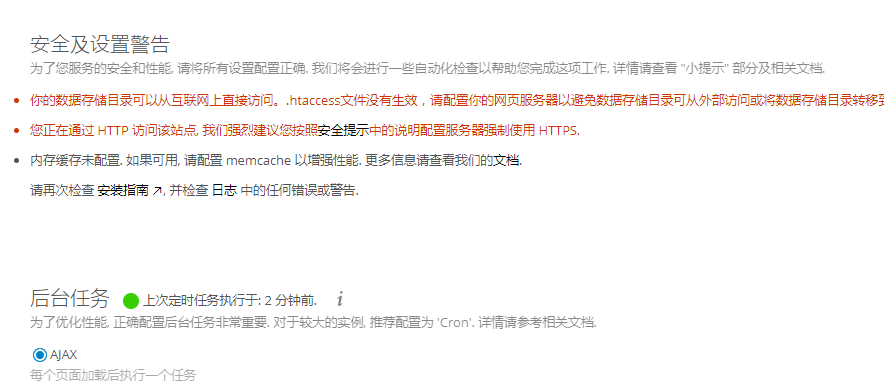
不知从何时开始,apt-get安装的php的opcache组件默认禁用了。也许是Nextcloud的问题,无论如何,你都会在管理页面看到这样的警告(红色大括号处):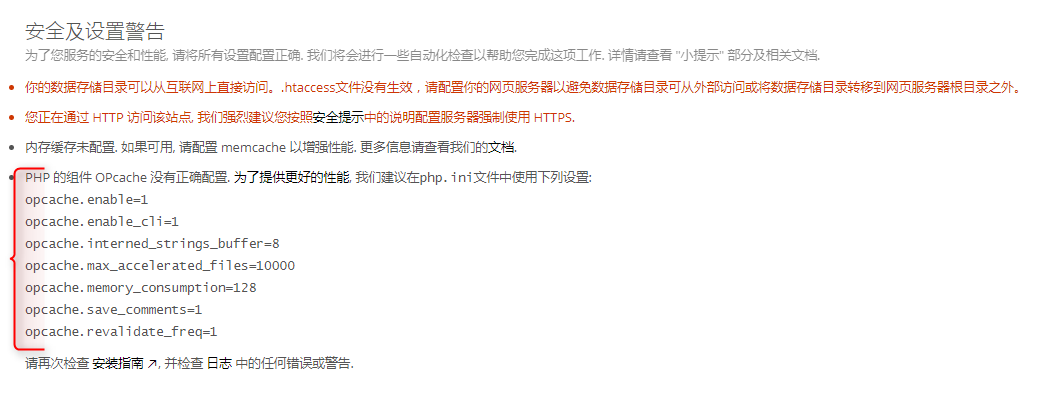
正确地配置OPcache有利于提升Nextcloud的性能。这个问题要通过修改php.ini来解决。
使用apt-get方式安装的LAMP环境的php.ini一般位于
/etc/php/7.0/apache2/php.ini
。
编辑php.ini:
vim /etc/php/7.0/apache2/php.ini
找到
;opcache.enable=0
,大约在1767行,可以在一般模式下输入
/opcache.enable
搜索到:

修改:继续往下翻,分别找到以下几行,删除前面的
;
,然后依次修改后面的数字:
opcache.enable=1
opcache.enable_cli=1
opcache.interned_strings_buffer=8
opcache.max_accelerated_files=10000
opcache.memory_consumption=128
opcache.save_comments=1
opcache.revalidate_freq=1
如果你实在是懒得改,可以直接将上面的内容直接粘贴进去。
修改后如下(行号已与php.ini中的对应):
[opcache]
; Determines if Zend OPCache is enabled
opcache.enable=1

; Determines if Zend OPCache is enabled for the CLI version of PHP
opcache.enable_cli=1

; The OPcache shared memory storage size.
opcache.memory_consumption=128

; The amount of memory for interned strings in Mbytes.
opcache.interned_strings_buffer=8

; The maximum number of keys (scripts) in the OPcache hash table.
; Only numbers between 200 and 1000000 are allowed.
opcache.max_accelerated_files=10000

; The maximum percentage of "wasted" memory until a restart is scheduled.
;opcache.max_wasted_percentage=5

; When this directive is enabled, the OPcache appends the current working
; directory to the script key, thus eliminating possible collisions between
; files with the same name (basename). Disabling the directive improves
; performance, but may break existing applications.
;opcache.use_cwd=1

; When disabled, you must reset the OPcache manually or restart the
; webserver for changes to the filesystem to take effect.
;opcache.validate_timestamps=1

; How often (in seconds) to check file timestamps for changes to the shared
; memory storage allocation. ("1" means validate once per second, but only
; once per request. "0" means always validate)
opcache.revalidate_freq=1

; Enables or disables file search in include_path optimization
;opcache.revalidate_path=0

; If disabled, all PHPDoc comments are dropped from the code to reduce the
; size of the optimized code.
opcache.save_comments=1
修改完成后,ESC键退出编辑模式,
:wq
保存退出。
最后重启Apache:
service apache2 restart
再次刷新页面,有关OPcache的警告消失(测试环境,请无视其它警告):